python Polars https://junyoru.tistory.com/166 [Python] Pandas보다 빠른 Polars일봉, 1시간봉 정도의 큰 timeframe을 다룰 땐 데이터 사이즈가 그렇게 크지 않습니다. 한 종목의 일봉은 10년동안 2500개만 생길테니까요. 이정도 데이터면 pandas도 충분합니다. 하지만, 수천 종목의junyoru.tistory.com AI/preprocessing 2024.05.25
PolynomialFeatures sklearn.proprocessing.PolynomialFeaturesx라는 변수가 있다면 x^2, x^3, x^4... 이런식으로 다항식으로 만들어 변수를 늘려주는 방식. 부드러운 곡선을 만들지만 데이터가 부족한 영역에서 너무 민감하게 동작하는 단점이 있다. https://inuplace.tistory.com/515 [scikit-learn 라이브러리] PolynomialFeatures (다항회귀)다항회귀 import numpy as np import matplotlib.pyplot as plt %matplotlib inline n = 100 x = 6 * np.random.rand(n, 1) - 3 y = 0.5 * x**2 + x + 2 + np.random.rand(n, 1) plt.scatt.. AI/preprocessing 2024.05.06
one hot encoding의 이점 one hot encoding은 범주형 변수를 0,1,2,3 이런식으로 변환할때 생길 수 있는 관계성을 없애 줄 수 있는 장점이 있다. pandas를 기준으로는 dummies()라는 함수를 지원한다(대부분의 머신러닝 라이브러리들이 비슷한 기능을 제공한다). 하지만 dummies()는 컴파일해서 사용하는 방식이 아니므로, train set과 test set의 열이 다를 가능성이 생기며, 사용해야 한다면 train, test를 합친 상태에서 수행해야 한다. http://Colab.research.google.com/?hl=ko Google Colab colab.research.google.com AI/preprocessing 2024.05.06
sklearn.preproccessing sklearn.preproccessing이 제공해주는 멋진 스케일러들!! 1.StandartScaler : 정규분포2.MinMaxScaler : 0과 1사이의 값으로 3.MaxAbsScaler :절대값을 취한 수 0과 1 사이의 값으로4.RobustScaler : 정규분포이지만 mean이 아닌 median을, 표준편차 대신 quantile을 사용5.Normalizer : 행 기준으로 정규화 https://dacon.io/en/codeshare/4526 sklearn으로 데이터 스케일링(Data Scaling)하는 5가지 방법🔥 dacon.io AI/preprocessing 2024.04.06
pandas preproccessing 카테고리로 분류하고, sklearn의 LabelEncoder를 써주면 쉽네; # #### 카테고리 변수를 수치로 변환하기 from sklearn.preprocessing import LabelEncoder categories = all_df.columns[all_df.dtypes == "object"] print(categories) all_df["Alley"].value_counts() for cat in categories: le = LabelEncoder() print(cat) all_df[cat].fillna("missing", inplace=True) le = le.fit(all_df[cat]) all_df[cat] = le.transform(all_df[cat]) all_df[cat] = al.. AI/preprocessing 2024.04.06
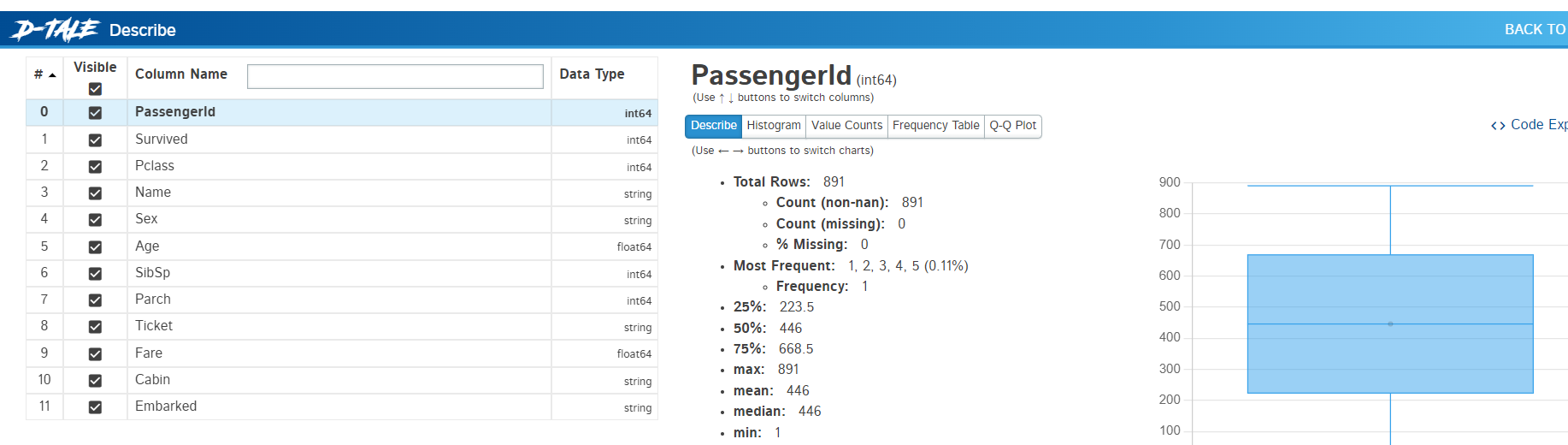
pandas 데이터 시각화 pandas 데이터를 확인할때, matplotlib을 cli로 코딩해서 쓰는 방식이 너무 한심하다는 생각을 하다가, 이리저리 찾은 라이브러리 dtale. 이거 말고 pandasgui도 있으나 일단은 이게 더 나아보인다. # %% import matplotlib.pyplot as plt import seaborn as sns import pandas as pd #import pandasgui as pgui import dtale as dtl train = pd.read_csv('D:\\hwayobi2020\\input\\titanic\\train.csv') test = pd.read_csv('D:\\hwayobi2020\\input\\titanic\\test.csv') print(train.describe.. AI/preprocessing 2024.03.30
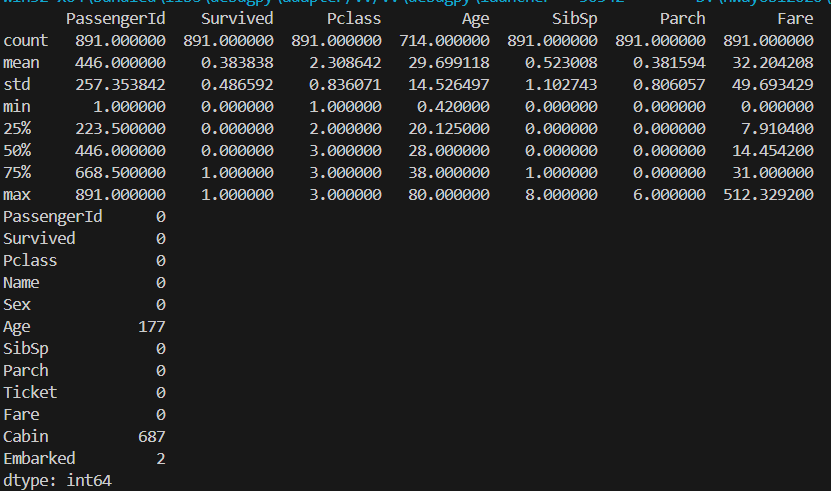
pandas 데이터 확인 1.데이터 확인 data.describe() 2.결측 확인 data.isnull().sum() print(train.describe()) print(train.isnull().sum()) AI/preprocessing 2024.03.30
keras one hot encoding https://www.tensorflow.org/api_docs/python/tf/keras/utils/to_categorical tf.keras.utils.to_categorical | TensorFlow v2.15.0.post1 Converts a class vector (integers) to binary class matrix. www.tensorflow.org one hot encoding을 아주 쉽게 할 수 있다 def to_one_hot(labels, dimension=46): results = np.zeros((len(labels), dimension)) for i, label in enumerate(labels): results[i, label] = 1. return results y_t.. AI/preprocessing 2024.03.21